Photo Scanning in Dublin: Careful Flatbed Scanning
Why choose our photo scanning service?
 We've been scanning photos in Dublin since 2010 and have digitised over 100,000 so far. Every photo is scanned on a flatbed scanner, so there is no streaking and your photos never go through rollers.
Old, damaged, torn or curled photos are welcome. The flatbed method means we can digitise them without causing any further damage.
We crop and rotate every photo for FREE, which saves you hours of work.
Based in Terenure, Dublin 6W: drop your photos in person or post them to us from anywhere in Ireland. We scan photos and documents from 1" × 1" up to A3.
We can deliver your digital photos on:
- USB
- Online download
- DVD
Photo Digitisation Service Quick Quote
| Number of photographs | Price | Example |
|---|---|---|
| Up to 100 | € 25.00 flat | |
| 101 – 175 | 25c per photo | |
| 176 – 375 | 22c per photo | 250 photos = € 55 |
| 376 – 750 | 20c per photo | 500 photos = € 100 |
| 751 – 1,500 | 18c per photo | 1,000 photos = € 180 |
| 1,501 or more | 16c per photo | 2,000 photos = € 320 |
| Size | DPI | Price |
|---|---|---|
| up to 4"*5" | 300 | Std pricing |
| A4 | 300 | € 1.00 |
| A3 | 300 | € 2.00 |
| up to 4"*5" | 600 | Std pricing + 50% |
| A4 | 600 | € 1.50 |
| A3 | 600 | € 3.00 |
| up to 4"*5" | 1200 | € 1.00 |
| A4 | 1200 | € 4.00 |
| A3 | 1200 | € 8.00 |
Free
All orders include a FREE DVD.All photos are rotated FREE.
Minimum order for scanning € 25.00
Once your scanning order is above the minimum value, prices are charged per photo scanned.
Extras
Photos scanned at 600 dpi + 50 %.Kodak Photo CD
Copied to jpg format €10 per disk, subject to minimum order.Additional digital copies are available on:
| DVD € 5.00 | USB € 10.00 | SD card € 15.00 |
Postage - An Post
See An Post for details Standard Postal Rates Registered Postal Rates Is it a Letter? a Package? or a Parcel?Payment
Request for payment can be made through Revolut see here for further information or PayPal, once your parcel is sent.How it works
Remove your photos from the album.If you cannot remove your photos from the album see Information on scanning photo albums
Make sure your photos are clean and not dusty or sticky (from being in an album).
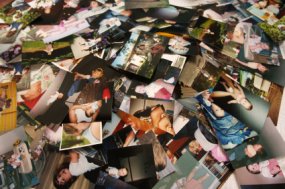
Some clients like to group their photos together (this is entirely optional).
The photos can then be sorted into separate themes or titles, e.g. 'Jill and Jakes Wedding 1998'.
We can then use these titles to organise your photographs.
Contact us and let us know when you are sending them.
We will provide an estimate of processing time, usually 2 to 3 days for 100 photos.
Post them to us - please use registered post.
or
Arrange an appointment to drop them off in person. (Evenings are best)
What our customers say
Thanks for your help.
Brian
Dublin
January 2026
SC
Kerry
December 2025
We are delighted to see all those images again.
C McC
Co.Mayo
November 2025
Thank you again.
Pauline
Dublin
November 2025
What we do
We offer professional photograph scanning services.All photos are scanned on a flatbed scanner.
Photograph requirements:
- Photo sizes from 1" * 1" to 11.69" * 16.53" (A3)
- Loose (not in an album)
- Clean not sticky from an album
- We can also scan photo albums
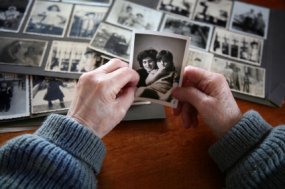
We make a scanned copy of your photograph(s)
Rotate where required.
Transfer all images to DVD, USB, SD card, or upload - you choose.
On request we can email copies for your approval and if requested upload to your favourite photo sharing web site.
Return to you by registered post.
Frequently Asked Questions (FAQ)
How much does it cost to have photos scanned?
Can you scan my photos onto USB or online?
Can you scan old, damaged or torn photos?
Can you scan photos that are still in an album?
Do you scan photos for people outside Dublin?
How long does it take?
Should I get the photos scanned at 300 DPI or 600 DPI?
Can I use the scanned images for a photobook?
Why don't you scan to TIFF instead of JPEG?
Is it better to scan old photos or take pictures of them?
Can you convert Kodak Photo CDs (PCD files) to JPG?
How much do 100 photos weigh?
Contact Us
Telephone
087 656 4823Our Address
61 Melvin RoadTerenure
Dublin
D6W TX37
Find us on google maps
Get Directions to yourphotoscanned.comTechnical Information
File Types
There are many different file types for digital pictures. We use jpeg. Additional information is available here:See Wikipedia on jpg
DPI
We scan images to 300 dpi by default, but we can scan at the higher 600 dpi on request.See Wikipedia for info on dpi
SD Card
A type of memory card commonly used in digital cameras and electronic picture frames. Most computers also have SD card readers. Mobile phones generally use a smaller version micro SD. Some Television sets\DVD players can also read data from SD cards.See Wikipedia for info on sd cards
USB flash drive
A type of memory stick used for transferring data between computers. Some television sets\DVD players can also read data from USB Keys. Also known as thumb drives, USB sticks.See Wikipedia for info on USB flash drive
Megapixels
When it comes to digital cameras, the picture quality capability is measured in megapixels. For example, a 3.1 megapixel camera can take pictures with a resolution of 2048 x 1536, which equals 3,145,728 pixels. Typically a photograph that is 4" * 6" scanned at 300 dpi will be a 2 megapixel image whereas scanned at 600 dpi it will be a 4 megapixel image.See Wikipedia for info on Megapixels
Conditions
These are our conditions of business, by sending us your photographs you agree to these terms:- You state that you have full permission to copy these images.
- That you are the copyright holder of the photographs.
- That none of the photographs could be deemed pornographic.
- That none of the photographs show scenes of violence.
What is the best way to scan old photos?
Since we started photo scanning in 2010 and we have digitised over 100,000 photographs here are our thoughts.There are several ways to digitise old photos.
- Use a photo scanning service
- Use a self-feeding scanner
- Use a flatbed scanner
- Use an app
Using a self-feeding scanner
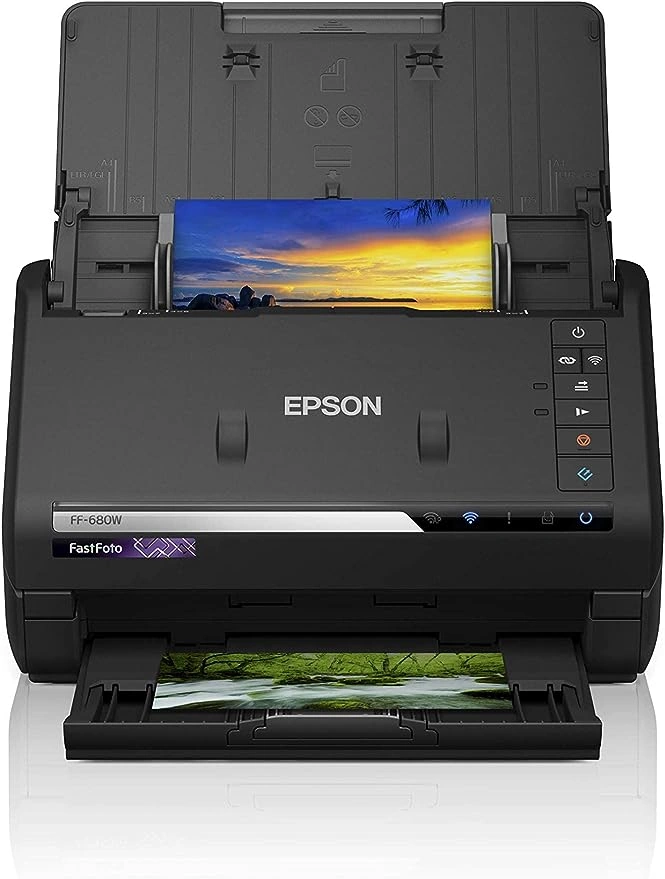
If you don't already own a self-feeding photo scanner, this could be an expensive purchase they start at € 200 taking between 2 - 5 seconds per scan at 300dpi.
All sheet-feed photo scanners will suffer from one major downside, streaking. As you feed in your photos dust and dirt will be left on the scanner sensor leaving noticeable streaks.
Of course, you can clean the scanner and re-scan however this greatly reduces the headline speed and each scanned photo must be checked.
| Pros | Cons |
|---|---|
| Fast scanning | Expensive to purchase scanner |
| Easy process | Streaking on digitised images |
| Photos could be damaged by being forced between rollers | Photos may need to be cropped |
| Photos may need to be rotated | |
| Photos must be in good condition |
Using a flatbed scanner
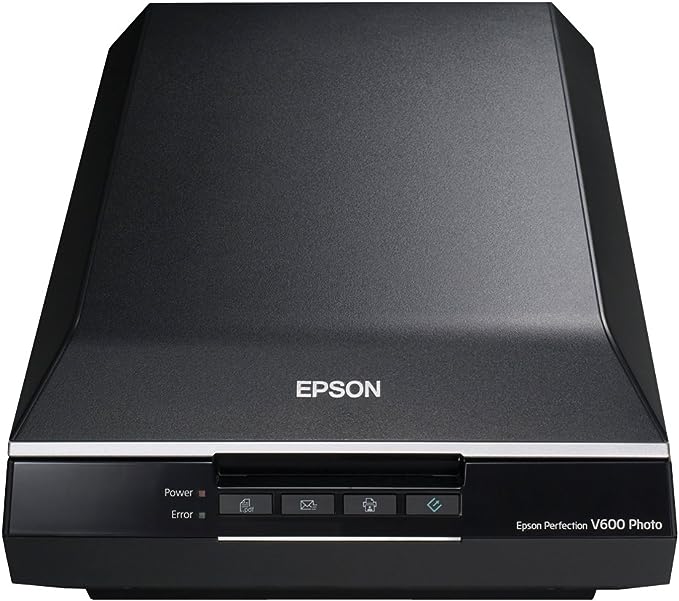 The best way to digitise your old photos!
To purchase a flatbed scanner prices start extremely low, at around € 75, each scan takes approx. 8 seconds to digitise your photos, more expensive photo scanners are quicker.
Although dust and dirt can still come off your precious photos the scanner bed is much easier to clean.
Depending on the scanner bed size it is also possible to scan more than 1 photo at a time, and some scanners have software that will extract each image separately.
| Pros | Cons |
|---|---|
| Good quality images | Time consuming |
| Photos can be stuck to cardboard, or any stiff material | Expensive to purchase scanner |
| Photos can be mis-shapen, ripped or torn | Photos may need to be cropped |
| Photos may need to be rotated |
Using an app
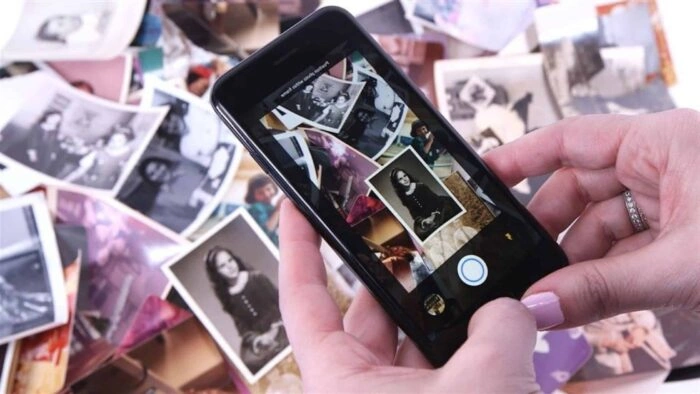
You place the photo onto a hard surface then holding your phone over the photo you take a picture.
Now you have a digital copy of your photograph.
The apps usually incorporate features to improve image quality.
You may find it easier to purchase a specialist holder for your phone, which may improve the process for you.
| Pros | Cons |
|---|---|
| Relatively cheap | Very time consuming |
| Easy process | Lower image quality |
| Photos may need to be cropped | |
| Photos may need to be rotated |
External Links - Best photo scanners 2026
The Best Photo Scanners for 2026How to create a Slide show
7 Ways to Set Up Image Slideshows in Windows 11 Without Installing Extra SoftwareHow to view a slide show in windows 10
Create slideshows in Photos on Mac
Links to website providing information on how to scan your photographs
How to scan photosHow to scan photographs
Use an app to scan your photos
A few scanning tips
A few more scanning tips
External Links - Dublin Library
How to scan glass plate photosHow to print scan copy
Software we use and love....
Free Image viewing softwareFree photo editing software
Free file renaming
